What it means
A key held down for more than 8 seconds is what d0 reports on the Modernist induction cooktop. Check whether the key pad is wet or a key is depressed, then restart with the POWER button. A technician visit is next if it continues.
Dacor cooktop d0 / Control keys
A key held down for more than 8 seconds is what d0 reports on the Modernist induction cooktop. Check whether the key pad is wet or a key is depressed, then restart with the POWER button. A technician visit is next if it continues.
Also shown as d0
A key held down for more than 8 seconds is what d0 reports on the Modernist induction cooktop. Check whether the key pad is wet or a key is depressed, then restart with the POWER button. A technician visit is next if it continues.
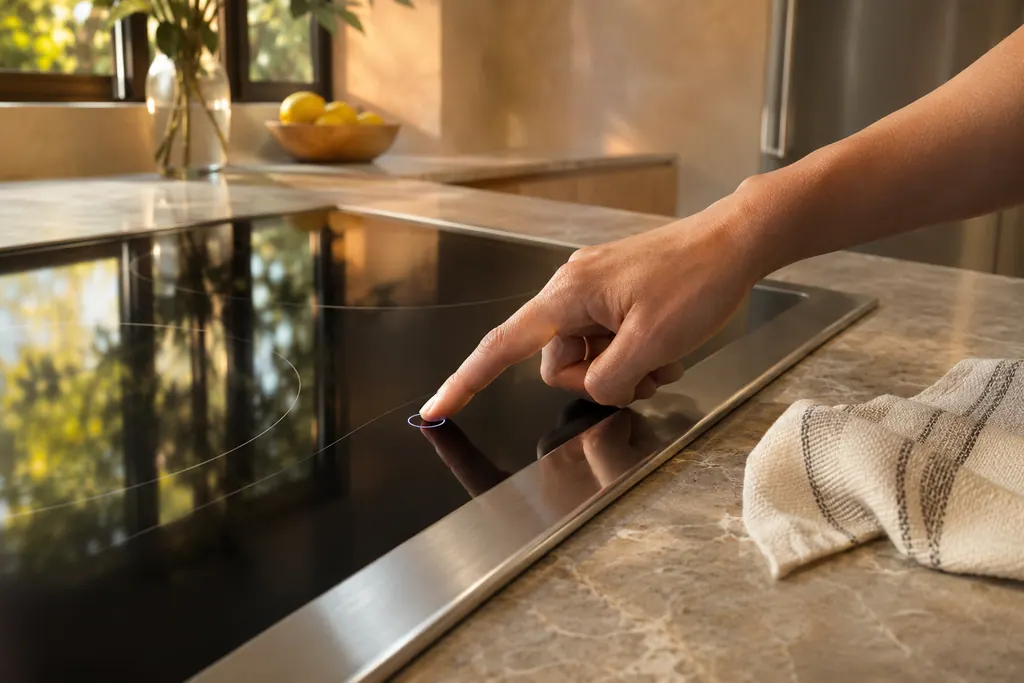
Wipe away any water or spill on the touch controls with a dry cloth.
d0 continues after the keys are dry and clear.
Your Dacor tick-list / held on this device

Wipe away any water or spill on the touch controls with a dry cloth.
A pan, cloth or utensil resting on the controls counts as a pressed key. Remove it.
Press the POWER button to restart the cooktop and see whether d0 clears.
If d0 returns on a dry, clear key pad, the touch panel may need service.
Tell us the model and which checks you have done, then open your request from here.
Book a visit
This drawing is schematic, since the inside of a Dacor changes from model to model. Press an outlined part for its photo and the check that goes with it.
Component reference
A 7-inch touch-enabled screen with POWER and LOCK keys runs the Modernist induction cooktop.
Read the definitionA key was pressed for more than 8 seconds. The cooktop treats that as a stuck key.
Read the supporting manualNo. The oven code concerns keys held for one minute and the microwave code concerns buttons touched for over a minute. This one is 8 seconds on a cooktop.
Read the supporting manualHot cookware can damage the buttons, the manual warns in the same troubleshooting area. Take it off and let the panel cool.
Read the supporting manualManufacturer document
Dacor (Dacor-branded document hosted on image-us.samsung.com)
Part No. 113935 Rev. A / DG68-00899A-00 (2017-03-16) / PDF p.63 (Information codes)
For d0: the Modernist induction cooktops (DTI30 and DTI36 series). Source is the Information codes table in the troubleshooting chapter of their user manual; other Dacor cooktops are not covered.
Yes. The manual lists a wet key pad as a thing to check.
Restart with POWER. If the cause was a wet or covered key, normal operation should return.
A locked panel shows the child lock indicator. d0 is a code for a key held down.
When d0 returns after the keys are dry, clear and the cooktop has been restarted.
Dacor codes, symptoms, parts, repairs
The code F2 means the Modernist induction cooktop lost communication with its touch-enabled IC. Restart with the POWER button, then disconnect power for more than 30 seconds if it continues. Book a visit if it stays.
A Dacor Modernist induction cooktop that stays off may simply be starting up: the touchscreen takes about a minute to boot. After that, the chart points to the fuse or breaker, then to burner controls set wrongly.
A 7-inch touch-enabled screen with POWER and LOCK keys runs the Modernist induction cooktop. Its manual ties a damp or covered key to code d0, a key held over 8 seconds. Dry the panel, clear the glass and restart with POWER before booking a visit.
Book a diagnostic for your model at the appliance itself.
Office details and the access notes to pass on.